
Overview
- What is Jira Service Desk
- Installation and Prerequisites
- Jira requirements
- MySQL database/configuration
- MySQL database JDBC driver/connector
- Jira activations
- Connecting Jira to MySQL
What is Jira Service Desk.
‘Jira Service Desk’ is a fully featured service desk tool used by mordent IT teams. Empowers teams to deliver great service experiences and ensures your employees and customers can get help quickly. Check out Jira for more information.
Installation and prerequisites
Before we install Jira and MySQL there are couple things you need to have in place. First things first, If you don’t already have one, you are going to need a custom docker network. If you already have one you can skip this command.
1
docker network create proxynet
Jira requirements
Next, we need to create a share that will hold the ‘MySQL JDBC drivers/connector’ files required for connecting Jira to MySQL.
These files are MySQL version, so make sure you download the correct files for you environment.
versions
Create MySQL JDBC driver share
1
mkdir /mnt/user/connector
Next, we need to download the recommended MySQL driver JDBC Connector to the ‘connector’ share we have just created.
1
cd /mnt/user/connector
next, will download the MySQL driver JDC connector.
1
wget https://dev.mysql.com/get/Downloads/Connector-J/mysql-connector-java-8.0.29.tar.gz
Next, will extract the driver files.
1
untar mysql-connector-java-8.0.29.tar.gz
MySQL installation
Head over to community applications and search for ‘mysql’ i will be using
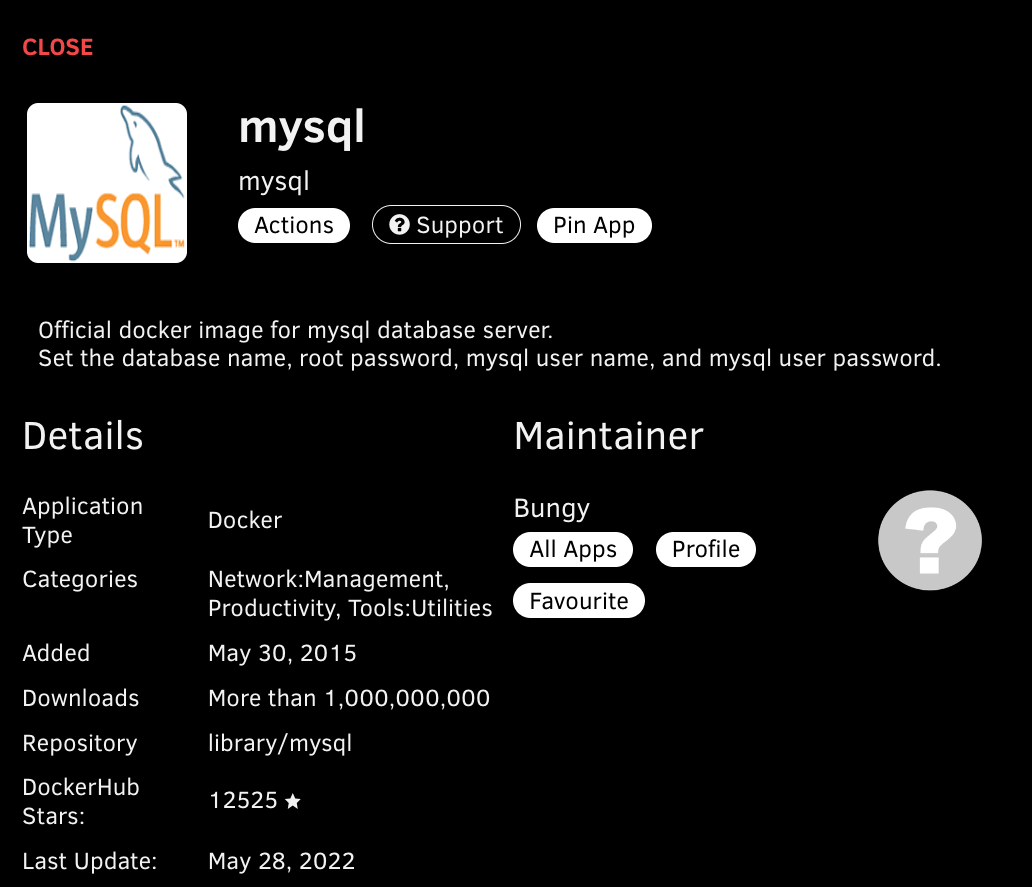
This MySQL container image is running MySQL version 8.0+
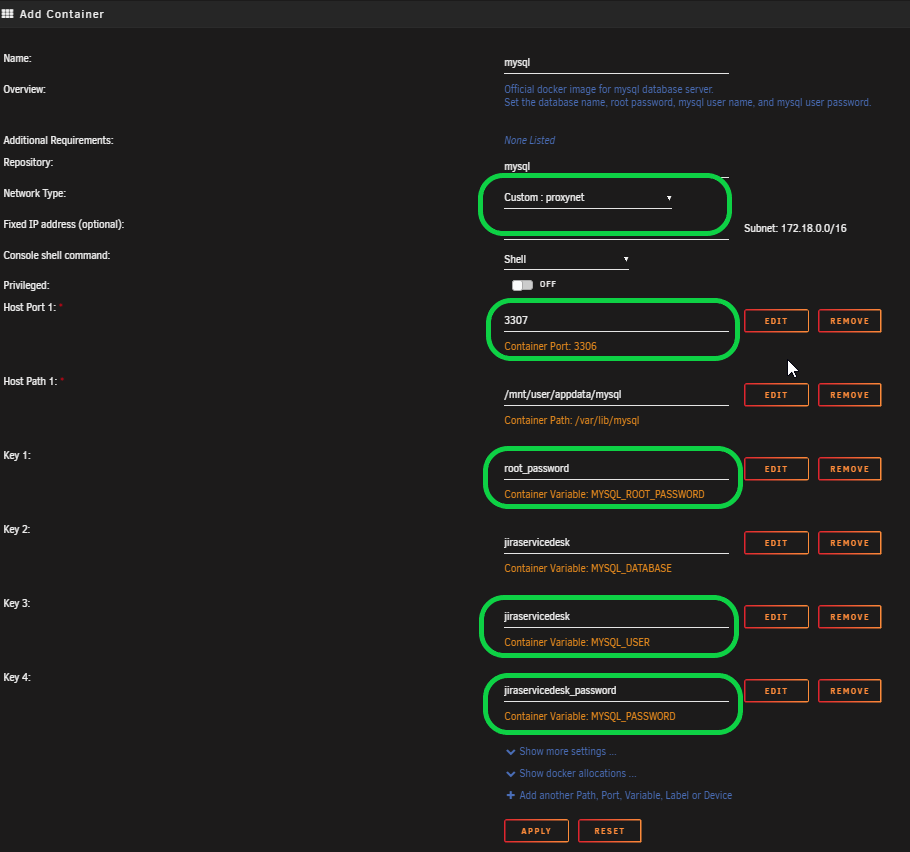
- network type, we are using our custom docker network ‘proxynet’. If you created or are using an existing make selection respectfully.
- port 3306 is default, i have something else using that port so i have changed it to 3307.
MYSQL_ROOT_PASSWORDgo ahead and add a password of choice.MYSQL_DATABASE= 'jiraservicedesk'MYSQL_USER= 'jiraservicedesk'MYSQL_PASSWORDhere type in a password that will be used to access the ‘jiraservicedesk’ database. Next, click apply. This will pull and install the container, also will create a ‘jiraservicedesk’ database and a ‘jiraservicedesk’ user w/password.
if you already have mysql installed, you can console into the mysql docker container and create the database and user manually running the following commands below.
Creating a MySQL database
Create a database user which Jira will connect as, for example jirasarvicedesk.
1
CREATE USER 'jiraservicedesk' IDENTIFIED BY 'PASSWORD';
Create a database for Jira to store issues in, for example jiraservicedesk.
The database must have a character set of UTF8. To set it, enter the following command from within the MySQL command client.
1
CREATE DATABASE jiraservicedesk CHARACTER SET utf8mb4 COLLATE utf8mb4_bin;
Make sure the user has permission to connect to the database, and permission to create and populate tables. You can provide these permissions with the following commands.
1
GRANT SELECT,INSERT,UPDATE,DELETE,CREATE,DROP,REFERENCES,ALTER,INDEX on <JIRASERVICEDESK>.* TO '<JIRASERVICEDESK>'@'<JIRA_SERVER_HOSTNAME>'; flush privileges;
Installing Jira-Service-Desk
With all that out of the way, we can install Jira-Service-Desk
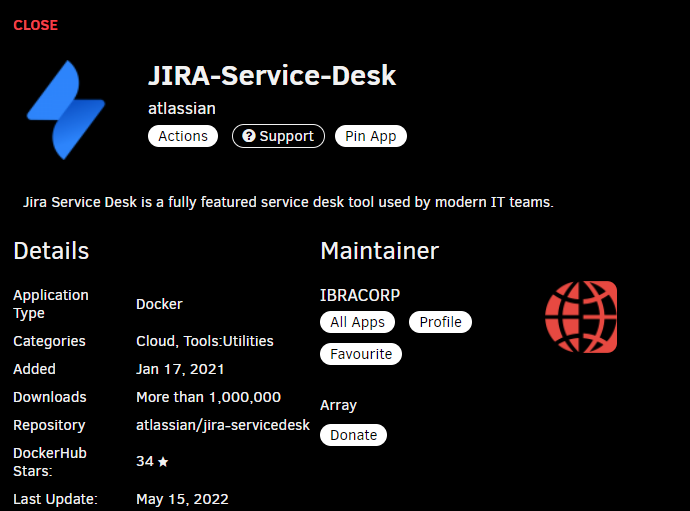
This container is maintained by the guys over at IBRACORP.
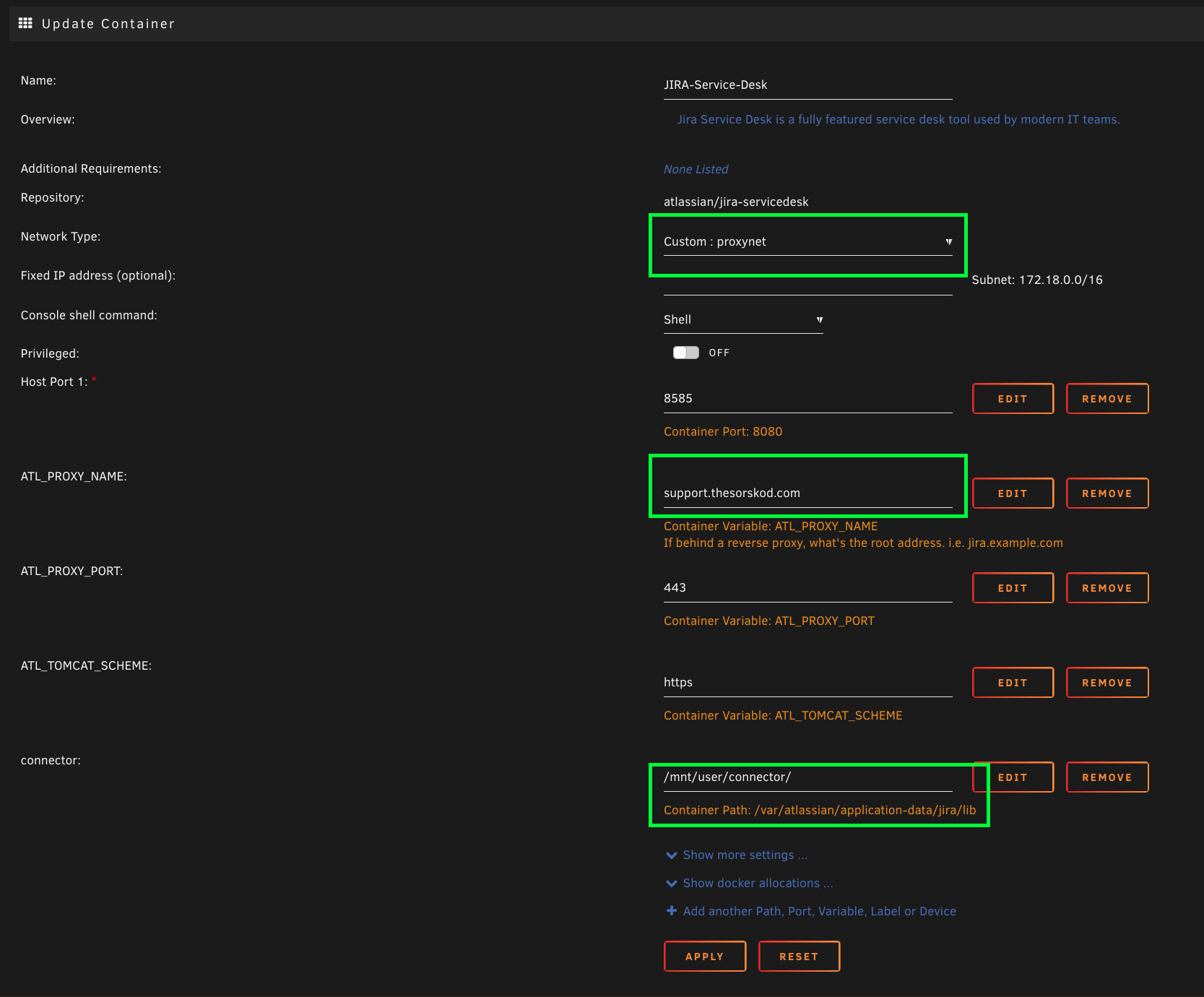
- network type, we are using our custom docker network ‘proxynet’. If you created or are using an existing make selection respectfully.
ATL_PROXY_NAME, here you want to add your subdomain ‘subdomian.mydomain,com’
This
CNAMEyou will need to configure if you want to be able to access your blog/documentation externally.
- Drivers we need to add to the template. So for that click on the ‘+ Add another Path, Port, Variable, Label or Device’
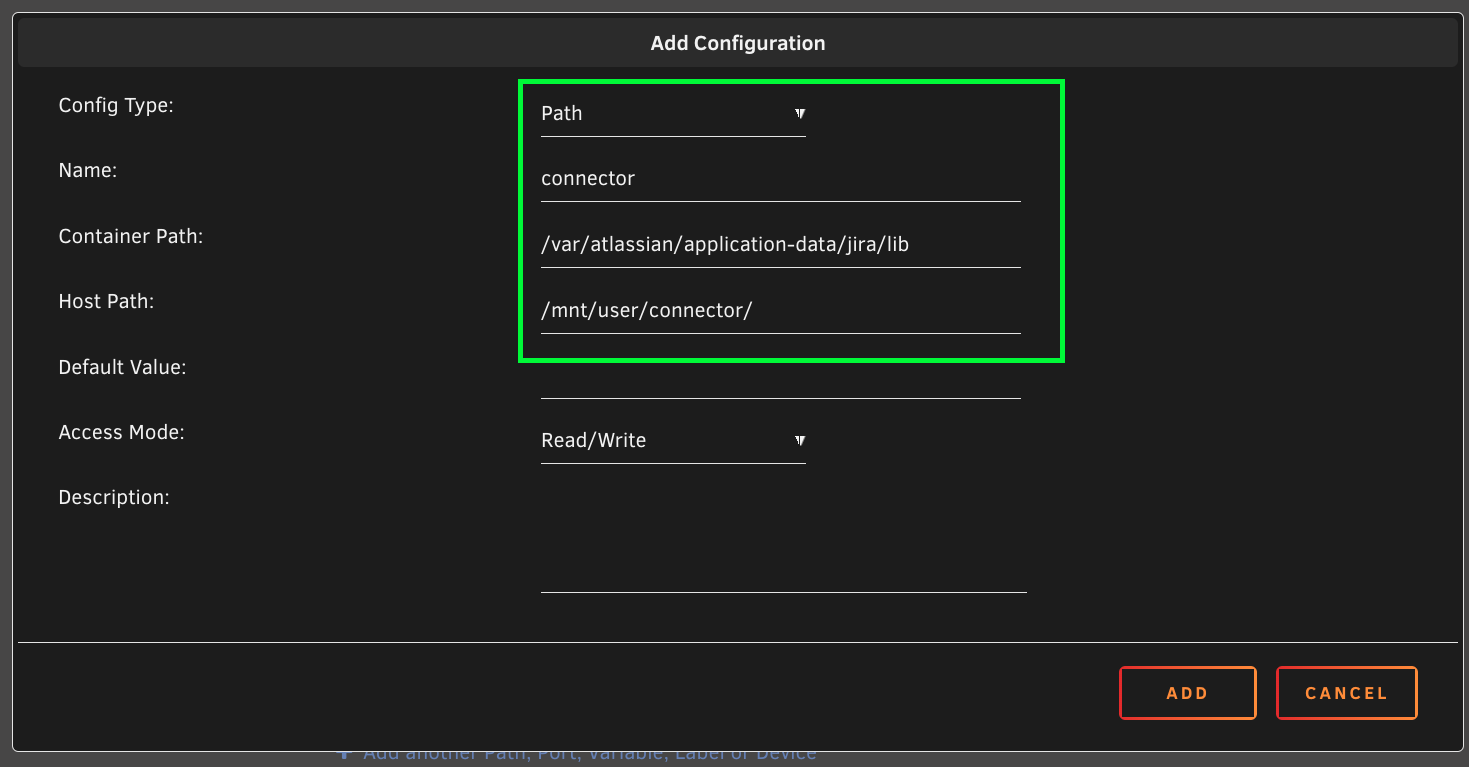
- Path
- Name: connector
- Container Path:
/var/atlassian/application-data/jira/lib - Host Path:
/mnt/user/connector/
Click ADD then Apply to pull/install the container.
Connecting Jira to MySQL
1
cp mysql-connector-java-5.1.35-bin.jar /opt/atlassian/jira/lib/
Comments powered by Disqus.